
How to Automate Accounts Payable in 5 Steps
Reduce invoice errors and cut costs by automating AP: evaluate workflows, choose tools, integrate systems, set approval rules, and optimize with testing.
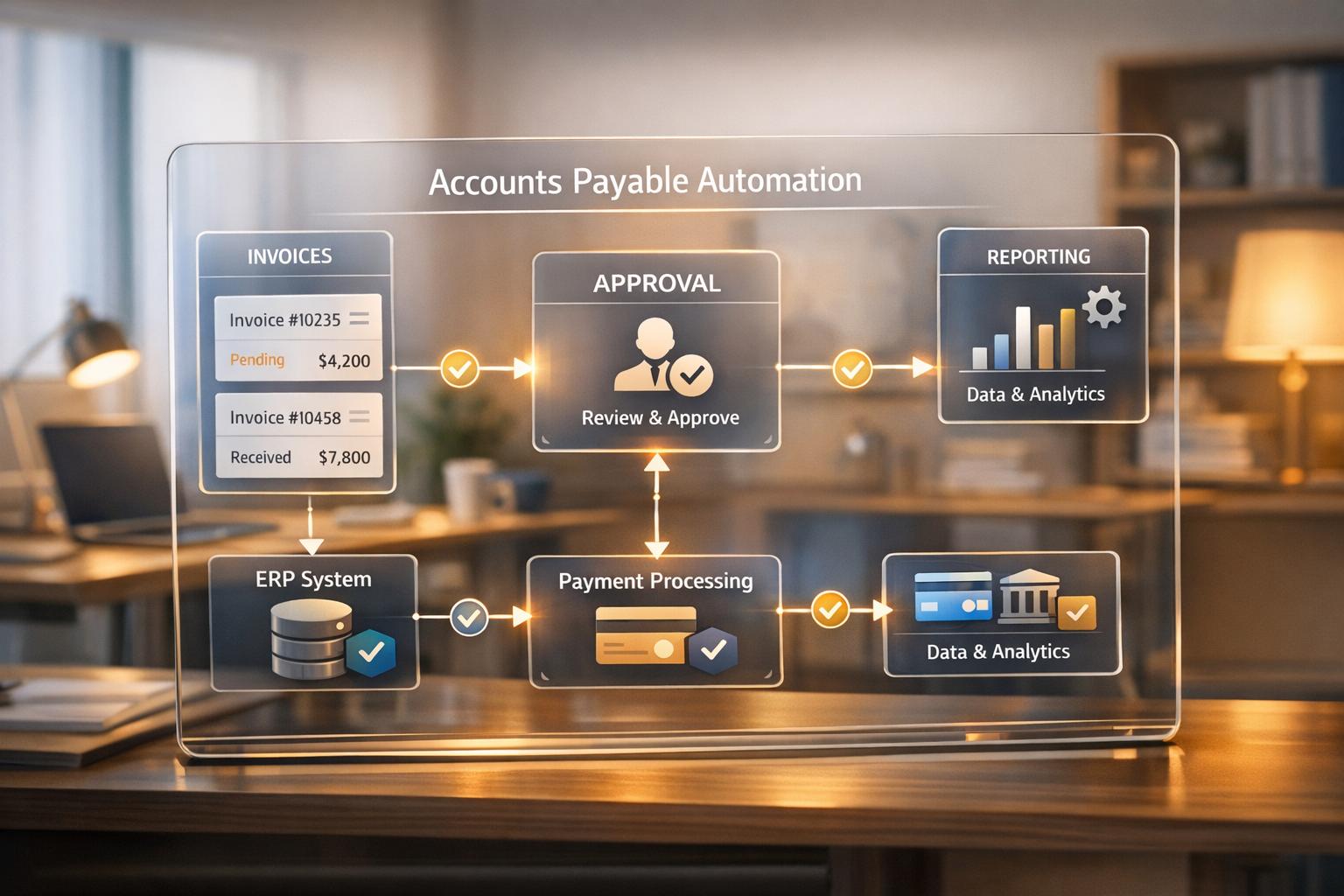
Automating accounts payable simplifies invoice processing, saving time and reducing costs. Here's how to do it in five steps:
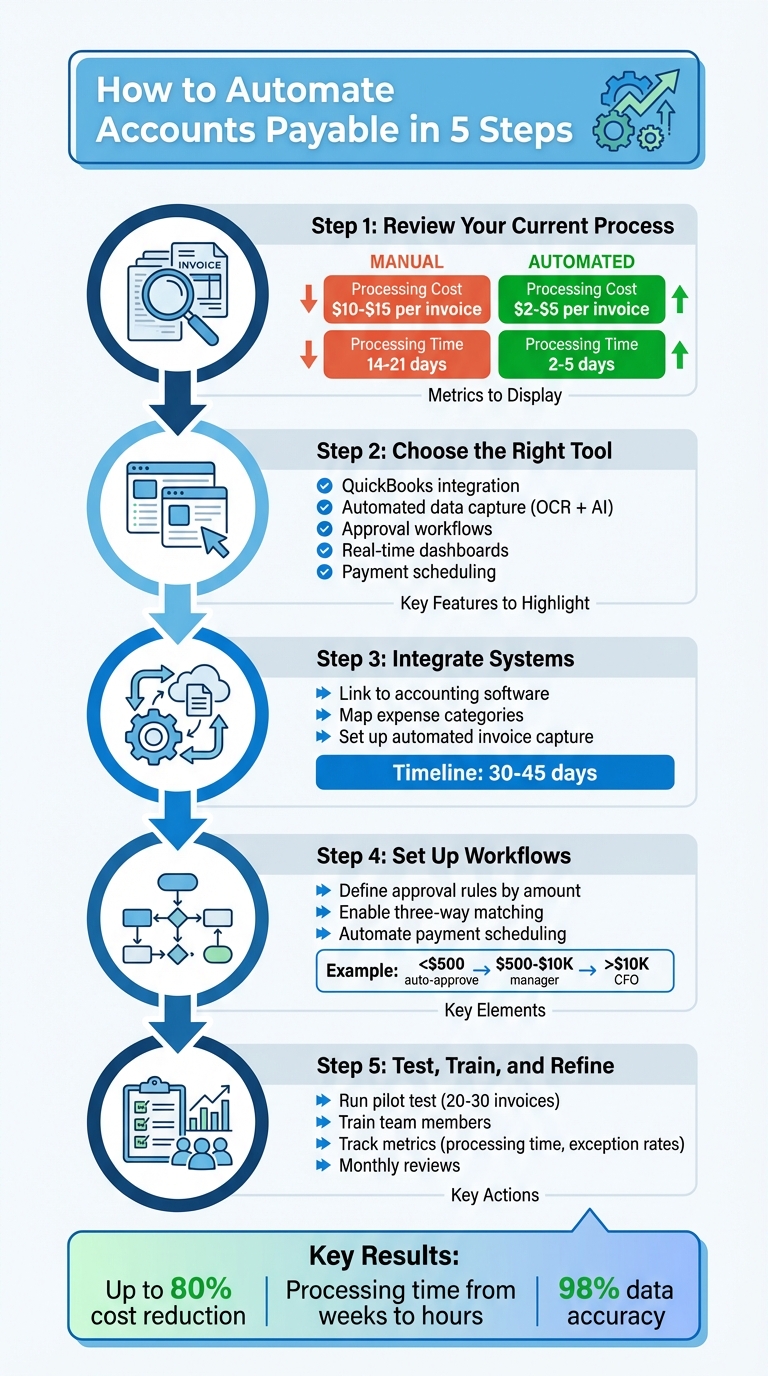
- Review Your Current Process: Identify inefficiencies, such as delays or manual errors, by mapping your workflow and measuring costs (manual processing costs $10–$15 per invoice, while automation cuts it to $2–$5).
- Choose the Right Tool: Afino integrates with QuickBooks, automates data capture, and provides approval workflows, real-time dashboards, and secure payment scheduling.
- Integrate Systems: Link Afino to your accounting software, map expense categories, and set up automated invoice capture using OCR and AI.
- Set Up Workflows: Define approval rules based on invoice amounts or vendors, enable three-way matching, and automate payment scheduling to avoid late fees and maximize discounts.
- Test, Train, and Refine: Run a pilot test, train your team, and track performance metrics like processing time and exception rates to improve efficiency.
Key Benefits: Automation reduces errors, speeds up processing, enhances fraud protection, and provides better cash flow visibility. Businesses can cut processing costs by up to 80% and shorten invoice cycles from weeks to hours.
Ready to transform your accounts payable process? Start by analyzing your current workflow and consider tools like Afino to streamline operations.
5 Steps to Automate Accounts Payable Process
How Automation Improves Accounts Payable (AP) Workflow
Step 1: Review Your Current Accounts Payable Process
Before diving into automation, take a moment to analyze your current accounts payable process. Skipping this step can lead to wasted resources and unresolved issues. Start by mapping out the entire invoice lifecycle - from the moment a bill arrives (via email, paper, or vendor portal) to the final payment and reconciliation.
Your main objective is to identify where things go wrong. Are invoices stuck in someone's inbox for days? Are you spending hours manually entering vendor details into spreadsheets? Trace three recent invoice errors to uncover specific breakdowns. For example, if invoices from a particular vendor frequently arrive without purchase order numbers, you've pinpointed a bottleneck that automation can fix. Once you've identified these pain points, document your workflow to see exactly where delays occur.
Document Your Current Workflow
To fully understand your process, list everyone and everything involved - from data entry staff and approval managers to ERP systems and even physical files. Amanda Shumway, AP Manager at Agynbyte, shared her experience with outdated methods:
"We were extremely paper-heavy when we were doing everything in-house. We were printing like crazy".
Pay close attention to approval hierarchies. Who needs to sign off on a $500 invoice versus a $5,000 one? Where do invoices tend to pile up while waiting for signatures? Manual approval cycles often account for more than half of the total processing time, making this step a crucial area to examine.
Measure Performance and Identify Issues
Once your workflow is mapped out, it’s time to measure its efficiency. Start by calculating your baseline metrics. For instance, determine your cost per invoice by dividing total AP expenses (salaries, overhead, supplies) by the number of invoices processed each month. Manual processes usually cost between $10.00 and $15.00 per invoice, while automation can reduce this to $2.00–$5.00. Also, track your average processing time: manual workflows typically take 14 to 21 days, whereas automated systems can cut that down to 2 to 5 days.
Analyze your data for recurring patterns. Create a report to identify which vendors or departments are causing the most delays or errors. If you're managing more than 100 invoices monthly and still relying on manual data entry, chances are you've reached the point where inefficiencies and mistakes have become a recurring problem.
Step 2: Choose Afino for Accounts Payable Automation
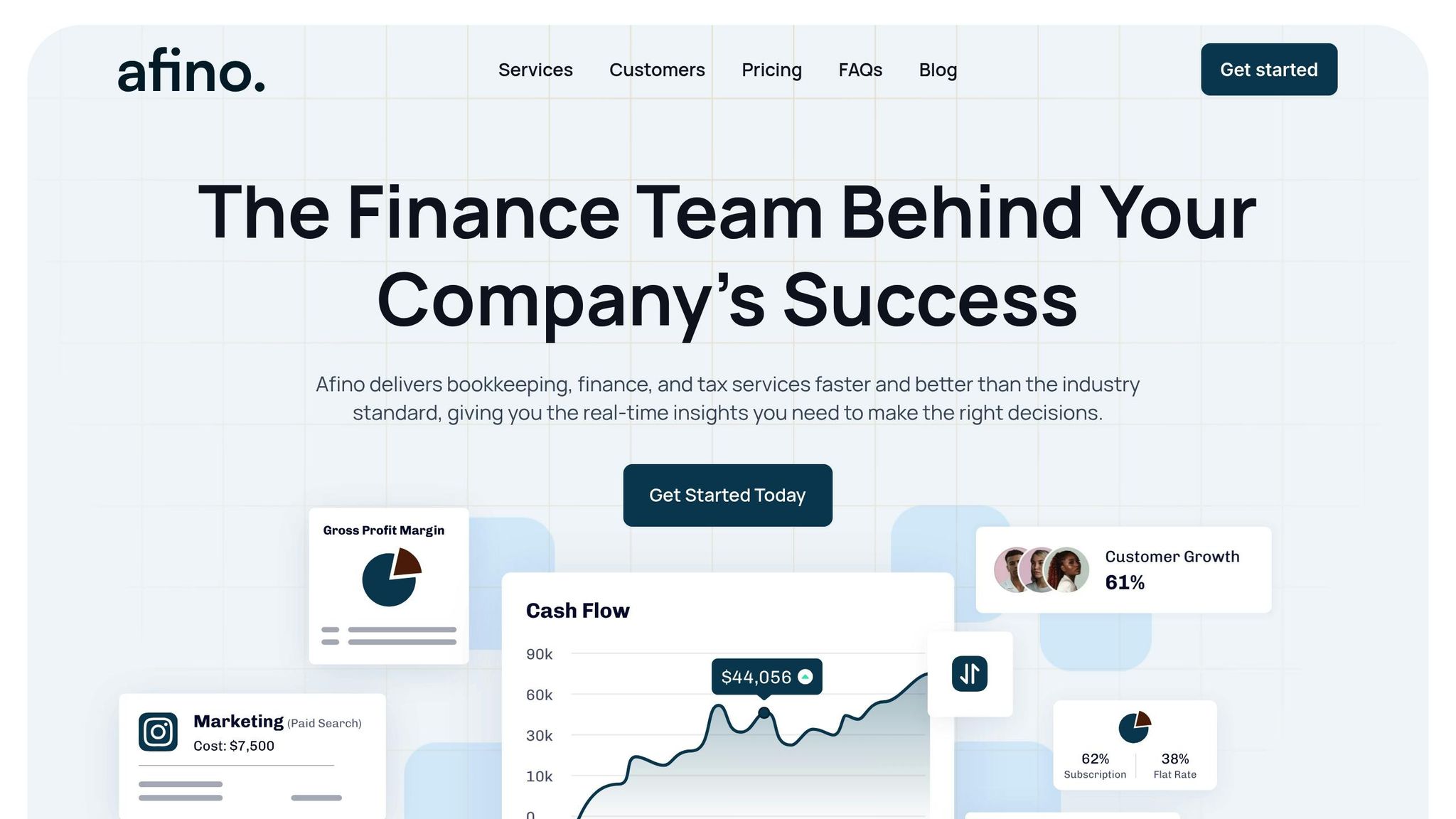
Simplify your workflow by opting for an automation platform tailored to your needs. After reviewing your processes, Afino emerges as an ideal fit for businesses in the U.S. seeking GAAP-compliant automation without the complexity of larger enterprise systems. It integrates seamlessly with QuickBooks via API, managing everything from invoice capture to payment scheduling - cutting out the need for time-consuming manual data entry.
Afino is designed with small and mid-sized businesses in mind. Instead of overwhelming you with unnecessary features, it offers tools that make a difference: customizable approval workflows that instantly route invoices to the right person, payment scheduling that helps you snag early payment discounts, and real-time KPI dashboards that give you a clear view of cash flow. According to Bank of America, 73% of executives report that AP automation improves cash flow, boosts savings, or supports business growth. Afino delivers these benefits without requiring a dedicated IT team to handle implementation.
Afino Features for Accounts Payable
Afino's features directly address the bottlenecks highlighted in Step 1. For example, its customizable workflows streamline approvals: invoices under $500 might go straight to the operations manager, while those over $5,000 are sent to the CFO for sign-off. This eliminates the need for drawn-out email threads and physical signatures, speeding up the process.
Payment scheduling is another area where Afino makes an immediate impact. By automating payments, the platform reduces processing costs from around $15.00 per invoice to just $2.00–$3.00, delivering instant savings. Payments are processed via ACH, wire, or check, ensuring you never miss out on early payment discounts or risk late fees.
Additionally, Afino ensures compliance with U.S. GAAP standards, maintaining detailed audit trails and supporting accrual accounting practices. Each transaction is permanently recorded, which not only meets regulatory requirements but also strengthens your financial standing with lenders. On top of that, Afino enforces segregation of duties, ensuring that different individuals handle authorizing, approving, and paying invoices - a critical safeguard against fraud.
Pricing Options
Afino offers a flexible pricing structure. The Bookkeeping plan starts at $400 per month and includes transaction recording, bank reconciliation, and actionable insights. If you're looking to automate accounts payable, you can add the AP management package, which includes invoice processing, approval workflows, and payment scheduling. This modular setup means you only pay for what you need.
To assess the value, consider your current costs. If you're processing over 100 invoices monthly at $15.00 each, you're spending $1,500 per month on manual processing. Switching to Afino could bring that down to roughly $600–$700 per month, delivering substantial savings.
Step 3: Connect Afino with Your Existing Systems
Integrating Afino with your accounting software and setting up automated invoice capture is a straightforward process. You’ll authorize the connection, map expense categories, and sync vendor records - all while continuing to use your current platform. The entire integration typically takes 30–45 days.
Link Afino to Your Accounting Software
Afino seamlessly integrates with popular accounting tools like QuickBooks through a secure API. To establish the connection, use your QuickBooks administrator credentials to authorize access. This creates an encrypted link that transfers essential data, such as vendor records, payment terms, and your Chart of Accounts, directly into Afino.
Once connected, map your expense categories to align with Afino. For example, you might link "Marketing - Digital Ads" in your accounting software to its corresponding field in Afino. This ensures that expenses are assigned to the correct general ledger codes, helping to maintain precise financial reporting and avoid misclassifications.
Before you go live, take the time to standardize your vendor data. This step is crucial to avoid processing errors. Verify vendor names, check bank account details, and update payment terms to minimize the risk of costly mistakes later on. With your accounting system connected and data properly mapped, you’re ready to enable automated invoice capture.
Enable Automated Invoice Capture
Once the connection is set up, configure automated invoice capture to simplify how invoices are processed. Afino uses OCR (optical character recognition) and AI to extract crucial invoice data. You can upload invoices in formats like PDF, JPEG, or PNG, and the system will automatically capture details such as vendor names, amounts, line items, and due dates. This advanced technology achieves up to 98% data extraction accuracy, significantly reducing errors.
You can also enable invoice collection through multiple channels - email, direct uploads, or mobile scans. For example, forward vendor invoices to a dedicated Afino email address, where they’ll be processed and synced to QuickBooks in real time. This instant syncing provides immediate visibility into your outstanding payables.
Before fully rolling out the system, run a pilot test with 10–20 invoices from a few selected vendors. Compare the extracted data with the original invoices to identify any potential formatting issues. For vendors with non-standard invoice layouts, flag those invoices for manual review until the system adapts to their format.
A great example of the impact of automation: Between 2024 and 2025, Cramo Group increased its accounts payable automation from just 10% to over 80%, cutting invoice routing time by an impressive 95%.
sbb-itb-29ec5e8
Step 4: Set Up Workflows and Approval Rules in Afino
With your system connections in place from Step 3, it's time to streamline invoice management by setting up workflows. These workflows ensure invoices are routed automatically based on your spending policies, cutting down on manual tasks that often lead to delays and bottlenecks.
Create Rule-Based Approvals
Start by defining approval hierarchies based on specific criteria like invoice amount, vendor category, or department. For example:
- Automatically approve expenses under $500.
- Route invoices between $500 and $10,000 to department managers.
- Send invoices exceeding $10,000 to the CFO for final approval.
This tiered approach ensures quick processing for routine expenses while keeping higher-value transactions under closer scrutiny.
You can also set up vendor-specific rules. For instance, utility bills can go directly to the facilities department, software subscriptions to IT, and marketing expenses to the marketing director. This way, each department only reviews invoices relevant to their area, improving efficiency.
To catch discrepancies, enable three-way matching. This feature compares invoices, purchase orders, and receiving documents, flagging any inconsistencies - like price or quantity mismatches - for manual review.
To avoid delays, automate reminders and escalation processes. If an approver takes longer than three business days, Afino can send a follow-up email or escalate the invoice to an alternate approver. This ensures invoices don’t get stuck when someone is unavailable.
Schedule Automatic Payments
Once invoices are approved, set Afino to schedule payments according to vendor terms and your cash flow strategy. By entering standard terms like Net 30 or Net 60, Afino calculates the best payment dates to avoid late fees while optimizing cash flow.
For minor discrepancies - like amounts under $10 or 2% - you can configure the system to bypass manual review. Additionally, Afino keeps a full digital audit trail, recording every action with timestamps and user details for accountability.
The benefits of automation are clear. In June 2025, Skin Pharm reduced their invoice approval cycle from several weeks to just 48 hours using automated workflows. Similarly, Advisor360 saw a 50% reduction in accounts payable processing time, and Crossings Community Church doubled the speed of their bill payments compared to their old manual process.
Before rolling out workflows across your entire organization, start with a pilot program. Test the system with one department or a select group of vendors. This allows you to monitor invoice routing, catch any errors, and fine-tune the rules based on actual performance. A phased rollout minimizes disruptions and ensures a smoother transition. Once refined, you’ll be ready to move on to Step 5 for further optimization.
Step 5: Test, Train, and Improve Your Afino Setup
To ensure Afino runs smoothly, start with a pilot test using 20–30 invoices from different vendors and departments. This will help you evaluate how the system performs in real-world scenarios. Pay close attention to critical tasks like general ledger coding and three-way matching, ensuring invoices, purchase orders, and receiving documents align properly. Here's how you can test the system, train your team, and fine-tune its performance.
Test with Sample Invoices
When testing, check that data flows seamlessly between Afino and your accounting software. Confirm that automated notifications are being sent to the right approvers and that vendors can access the portal without issues. To catch potential problems, compare expected results with actual outcomes weekly - this can help you spot duplicate payments, delays in approvals, or missing documents. Instead of switching everything over at once, phase out manual workflows gradually. This way, if something goes wrong, only a small portion of your invoices will be affected.
Train Your Team on Using Afino
Once testing is complete, shift your focus to preparing your team. Appoint an AP process manager to document automation rules and create training materials. Use real invoices during training to highlight how to handle exceptions. Identify early adopters within your team - these "internal champions" can assist their peers and encourage system adoption. Tailor training to specific roles, such as invoice routing for AP staff and approval workflows for department managers.
Consider enhancing your training program with a self-service learning portal. Include short how-to videos, FAQs, and step-by-step guides that employees can access anytime. For quick issue resolution, host recurring video calls to address invoice-related questions, avoiding lengthy email chains. Additionally, set clear Service Level Agreements (SLAs) - for instance, "Approvers must respond within three days" - to promote accountability across departments.
Monitor Performance and Refine Processes
After setting up the system, ongoing performance tracking is key to maintaining efficiency. Keep an eye on metrics like invoice cycle time, exception rates, and first-time match rates. Hold monthly reviews to address recurring challenges and maximize early payment discounts. If exceptions are frequent, adjust OCR settings or update vendor data. For approval delays, use "Approval Cycle Time" metrics to identify bottlenecks.
During monthly reviews, analyze the top three recurring exceptions as case studies to pinpoint where processes are failing. Track how often early payment discounts are captured to fine-tune timing. Automated invoice processing can significantly cut costs - from $6–$15 per invoice manually to as low as $2–$5 - but it requires continuous optimization. Lastly, gather regular feedback from your AP team to uncover hidden inefficiencies or training needs.
Benefits and Best Practices for Accounts Payable Automation
Switching to accounts payable automation with Afino can slash processing costs by an impressive 70–80%. What once cost up to $10.00 per invoice manually now drops to a range of $2.81–$6.85 with automation. Beyond cost savings, processing time is dramatically reduced - what used to take days can now be completed in just hours. This speed allows businesses to take advantage of early payment discounts, which are often missed in manual workflows due to delays.
Afino also helps eliminate manual errors, reducing them by 18% through AI and OCR technology that achieves 90–95% accuracy. Automated three-way matching instantly compares invoices with purchase orders and receiving documents, ensuring payments are made only for items that were actually received. Instead of relying on disconnected spreadsheets, real-time dashboards provide immediate insights into cash flow and spending trends.
Fraud detection is another critical advantage. Afino's machine learning capabilities identify unusual patterns, duplicate payments, and unauthorized changes, addressing the growing concerns around fraud. In fact, a report from Bank of America highlights that 73% of executives find that automating accounts payable improves cash flow, enhances savings, or drives business growth.
Manual vs. Automated Accounts Payable Comparison
| Metric | Manual Process | Automated Process (Afino) |
|---|---|---|
| Cost per Invoice | Up to $10.00 | $2.81–$6.85 |
| Data Entry | Manual typing; 18% error rate | AI/OCR capture; 90–95% accuracy |
| Processing Time | Days or weeks per invoice | 70% faster; minutes or hours |
| Visibility | Siloed; paper-based; delayed | Real-time dashboards and analytics |
| Fraud Protection | Vulnerable to manual errors | Machine learning pattern analysis |
| Discounts | Often missed due to delays | Maximized early payment discounts |
Best Practices for Automation Success
To fully unlock the potential of automation, following a few best practices can make all the difference.
Start by focusing on your top 20% high-volume vendors, as this group typically accounts for 80% of exceptions. Centralize invoice intake by using a single digital email address or portal - this helps prevent documents from being lost in individual inboxes.
Leverage automated three-way matching to process routine invoices seamlessly, flagging only exceptions for manual review. Set clear Service Level Agreements (SLAs) across departments, such as requiring invoice approvals within three days, to avoid bottlenecks. Conduct weekly "shadow reports" to identify duplicate payments or unusual approval times that may bypass established rules. Lastly, group vendors by behavior patterns, like "High-Volume/Low-Error", and customize automation workflows for each group to streamline processing even further.
Conclusion: Automate Your Accounts Payable with Afino
Streamlining your accounts payable process doesn’t have to be complicated. By following five key steps - evaluating your current system, selecting Afino, integrating it with your existing tools, setting up workflows and approval rules, and consistently testing and refining - you can turn a time-consuming task into a strategic advantage for your business.
With Afino, you can cut costs, save time, and reduce manual data entry to less than 15% of the workload. This means your finance team can shift their focus from tedious tasks to higher-value activities like managing cash flow and analyzing supplier performance.
"1999 processes can't compete in 2025 and beyond. Finance has evolved. Paper-based, manual Accounts Payable processes haven't."
– Richard Pigott, Vision360 Enterprise
Automation with Afino doesn’t just save money - it grows with your business. Unlike traditional methods, Afino eliminates the need to scale your team as invoice volumes increase. The system handles the workload effortlessly, delivering accuracy and speed no matter how much your business expands.
The time to automate is now. As of 2025, about 66% of accounts payable teams are still manually entering invoice data. Early adopters gain a clear edge, benefiting from better cash flow, reduced fraud risk, and opportunities to capture early payment discounts. Start with Afino today and transform your accounts payable process into a future-ready operation.
FAQs
What are the main benefits of automating accounts payable with Afino?
Automating accounts payable with Afino takes the headache out of managing invoices by cutting down on manual tasks, reducing errors, and speeding up the approval process. Thanks to its AI-powered tools, Afino captures data accurately, shortens payment cycles, and gives your finance team better visibility into cash flow.
Afino doesn’t just streamline your operations - it also helps build stronger supplier relationships. Faster payments foster trust and reduce delays, ensuring smoother collaborations. Plus, with built-in compliance features and secure data handling, Afino safeguards your business from fraud while maintaining a clear and accessible audit trail.
What’s more, Afino’s flexible system adapts as your business grows. It offers real-time analytics and automated reporting, freeing up your finance team to focus on strategic decisions. The result? Lower costs, greater accuracy, and a workflow that runs like clockwork.
Can Afino seamlessly integrate with accounting software like QuickBooks?
Afino connects effortlessly with well-known accounting software like QuickBooks, making the integration process straightforward. By linking Afino with your current systems, you can simplify your accounts payable processes, cut down on manual data entry, and enhance accuracy.
For step-by-step guidance on setting up this integration or to learn more about compatibility, reach out to Afino's support team or check their user documentation specifically designed for QuickBooks users.
What are the key steps to successfully automate accounts payable?
To automate accounts payable effectively, start by reviewing your current process. Look for areas where manual errors or delays are common - these inefficiencies are prime candidates for automation. Then, define clear objectives with measurable outcomes, such as shortening invoice processing times or lowering operational costs.
When selecting an automation tool, make sure it integrates effortlessly with your existing systems and aligns with your needs. Features like OCR (optical character recognition) for data extraction or automated approval workflows can be particularly valuable.
Before rolling out the solution across the board, run a pilot program. Test it with a small batch of invoices or a select group of suppliers to catch potential issues early. Keep your team and suppliers in the loop by explaining the changes and offering training to ensure everyone is on the same page.
Once implemented, track key performance metrics like processing speed and error rates. Use this data to fine-tune your workflows and keep improving efficiency over time.